Video 생성 AI API
View in English: Video Generation AI API | 한국어로 보기 (현재 페이지)
kvidAI의 Video 생성 AI API는 텍스트·이미지·참조 미디어를 입력으로 받아 고품질 비디오를 생성하는 서비스입니다. K-pop·K-beauty 콘텐츠에 특화되어 있습니다.
🎯 서비스 개요
지원 기능
- Text-to-Video: 텍스트 프롬프트로 비디오 생성 (
txt2vid) - Image-to-Video: 입력 이미지를 모션 프롬프트로 애니메이션 (
img2vid) - Reference-to-Video: 참조 이미지/영상/오디오로 일관성 있는 비디오 생성 (
ref2vid) - 해상도: 480p / 720p / 1080p (모델 별 상이)
- 길이: 보통 4–15초 (모델 별 상이)
특화 기능
- 카메라 앵글 조작 프롬프트 지원 (완벽하지 않을 수 있음)
- 다양한 생성 옵션 및 제어 가능
- K-pop 안무·K-beauty 콘텐츠 최적화
📡 API 엔드포인트
기본 정보
Base URL:       https://api.kvid.ai
Authentication: api-key 헤더
Content-Type:   application/json
Video Generation API는 비동기 방식입니다. POST로 작업을 제출하면 job_id 가 반환되고, status 엔드포인트를 폴링해서 완료된 시점에 result 엔드포인트로 결과를 조회합니다.
| Method | Path | 용도 |
|---|---|---|
POST | /ai/generation/text-to-video/generate-async | Text-to-Video 작업 제출 |
POST | /ai/generation/image-to-video/generate-async | Image-to-Video 작업 제출 |
POST | /ai/generation/reference-to-video/generate-async | Reference-to-Video 작업 제출 |
GET | /ai/generation/status?jobId={job_id} | 작업 상태 조회 (공용 엔드포인트) |
GET | /ai/generation/result?jobId={job_id} | 완료된 결과 조회 (공용 엔드포인트) |
인증 및 크레딧 식별. 모든 요청은
api-key헤더를 보내야 합니다. 추가로 AI 생성 엔드포인트는 차감할 크레딧 풀을 식별하기 위해 request body에product_id/product_code/별도의 개발용 라우팅(
api.hometip.net+/ai/generation-clone/...)이 존재하지만, 이 페이지는 프로덕션 경로(api.kvid.ai)를 기준으로 설명합니다.
1. Text-to-Video 작업 생성
Python 예제
import requests

url = "https://api.kvid.ai/ai/generation/text-to-video/generate-async"
api_key = "YOUR_API_KEY"

payload = {
    "product_id": "pdt_XXXXXXXXXXXX",   # product_code / email 중 하나 필수
    "prompt": "A beautiful sunset over the ocean",
    "model": "veo3.1",                   # wan / seedance / veo3.1
    "function": "txt2vid",
    "resolution": "720p",                # 480p / 720p / 1080p (모델 별)
    "duration": 4,
    "aspect_ratio": "16:9",
    "seed": 5834
}
headers = {
    "api-key": api_key,
    "Content-Type": "application/json",
}

response = requests.post(url, headers=headers, json=payload)
print(response.json())
응답:
{
  "success": true,
  "data": {
    "job_id": "job_1768540311147_4mcdv65c7",
    "status": "queued",
    "message": "비디오 생성 작업이 큐에 추가되었습니다.",
    "estimated_time": "2-5분",
    "video_type": "text-to-video"
  }
}
2. Image-to-Video 작업 생성
import requests

url = "https://api.kvid.ai/ai/generation/image-to-video/generate-async"
api_key = "YOUR_API_KEY"

payload = {
    "product_id": "pdt_XXXXXXXXXXXX",   # product_code / email 중 하나 필수
    "prompt": "windy, forest, autumn",
    "model": "wan",
    "function": "img2vid",
    "image_url": "https://your-host.example/scene.png",   # 또는 image_file (base64)
    "resolution": "720p",
    "duration": 5,
    "aspect_ratio": "auto",              # auto는 입력 이미지 비율을 따름
    "seed": 5834
}
headers = {
    "api-key": api_key,
    "Content-Type": "application/json",
}

response = requests.post(url, headers=headers, json=payload)
print(response.json())
3. Reference-to-Video 작업 생성
하나 이상의 참조 이미지·영상·오디오 로부터 일관성 있는 비디오를 생성합니다. 출력 전반에서 캐릭터나 스타일을 안정적으로 유지할 때 유용합니다.
import requests

url = "https://api.kvid.ai/ai/generation/reference-to-video/generate-async"
api_key = "YOUR_API_KEY"

payload = {
    "product_id": "pdt_XXXXXXXXXXXX",   # product_code / email 중 하나 필수
    "prompt": "the character from the reference image walks through a neon city at night",
    "model": "bytedance/seedance-2.0/fast/reference-to-video",
    "function": "ref2vid",
    "image_urls": ["https://your-host.example/ref-character.png"],
    "video_urls": [],
    "audio_urls": [],
    "resolution": "720p",
    "duration": 5,             # 4–15 (정수) 또는 "auto"
    "aspect_ratio": "auto",
    "generate_audio": True,
    "seed": 5834
}
headers = {
    "api-key": api_key,
    "Content-Type": "application/json",
}

response = requests.post(url, headers=headers, json=payload)
print(response.json())
참조 제약: 이미지 최대 9개, 영상 최대 3개(합산 ≤ 15초), 오디오 최대 3개(합산 ≤ 15초). 전체 참조(image + video + audio) 합계 ≤ 12개.
audio_urls를 보낼 경우 이미지 또는 영상 참조가 최소 1개 이상 필요합니다.
4. 작업 상태 조회
import requests

api_key = "YOUR_API_KEY"
job_id = "job_1768540311147_4mcdv65c7"

url = f"https://api.kvid.ai/ai/generation/status?jobId={job_id}"
headers = {"api-key": api_key}

response = requests.get(url, headers=headers)
print(response.json())
응답 (진행 중):
{
  "success": true,
  "data": {
    "job_id": "job_1768540311147_4mcdv65c7",
    "status": "processing",
    "prompt": "A beautiful sunset over the ocean",
    "result_url": null,
    "error_message": null
  }
}
status 값: queued, processing, completed, failed, canceled.
비디오 작업 권장 폴링 간격: 10–15초 (생성에 수십 초 ~ 수 분 소요).
5. 완료된 결과 조회
import requests

api_key = "YOUR_API_KEY"
job_id = "job_1768540311147_4mcdv65c7"

url = f"https://api.kvid.ai/ai/generation/result?jobId={job_id}"
headers = {"api-key": api_key}

response = requests.get(url, headers=headers)
print(response.json())
응답:
{
  "success": true,
  "data": {
    "job_id": "job_1768540311147_4mcdv65c7",
    "status": "completed",
    "result_url": "https://cdn.kvid.ai/videos/job_1768540311147_4mcdv65c7.mp4",
    "created_at": "2026-05-27T09:00:00.000Z",
    "prompt": "A beautiful sunset over the ocean",
    "width": 1280,
    "height": 720,
    "size": 5242880,
    "file_size": 5242880,
    "type": "text-to-video",
    "used_credit": 54
  }
}
📋 매개변수 상세
공통 매개변수
| 매개변수 | 타입 | 필수 | 설명 |
|---|---|---|---|
product_id / product_code / email | string | ✅ (셋 중 하나) | 차감할 크레딧 풀 식별 |
prompt | string | ✅ | 비디오 생성 프롬프트 |
model | string | – | 모델 식별자 (wan, seedance, veo3.1 …). 기본 wan |
function | string | – | txt2vid / img2vid / ref2vid (엔드포인트에 대응) |
negative_prompt | string | – | 제외할 요소 |
resolution | string | – | 480p / 720p / 1080p. 기본 480p (모델 별 상한) |
duration | integer | string | – | 초 단위 길이. num_frames 와 택일. ref2vid 는 4–15 또는 "auto" |
aspect_ratio | string | – | 16:9 / 9:16 / 1:1 / auto |
seed | integer | – | 재현성을 위한 시드값 |
Image-to-Video 추가 매개변수
| 매개변수 | 타입 | 필수 | 설명 |
|---|---|---|---|
image_url / image_file | string | ✅ | 시작 프레임 — HTTPS URL(image_url) 또는 base64(image_file) |
Reference-to-Video 추가 매개변수
| 매개변수 | 타입 | 기본값 | 설명 |
|---|---|---|---|
image_urls | string[] | [] | 참조 이미지 (최대 9개) |
video_urls | string[] | [] | 참조 영상 (최대 3개, 합산 ≤ 15초) |
audio_urls | string[] | [] | 참조 오디오 (최대 3개, 합산 ≤ 15초) |
generate_audio | boolean | true | 영상과 함께 오디오 생성 |
V1(self-hosted) 모델 매개변수
self-hosted V1 모델 계열(예: wan)에 적용됩니다. 모델별로 지원 여부가 다릅니다.
| 매개변수 | 타입 | 기본값 | 설명 |
|---|---|---|---|
num_frames | integer | 모델별 | 프레임 수. duration 과 택일 |
frames_per_second | integer | 모델별 | 출력 FPS |
num_inference_steps | integer | 모델별 | 추론 단계 수 (높을수록 품질↑, 속도↓) |
guidance_scale | number | 모델별 | 프롬프트 충실도 |
shift | number | 모델별 | scheduler shift |
enable_safety_checker | boolean | true | NSFW 필터 |
enable_prompt_expansion | boolean | 모델별 | 프롬프트 자동 확장 |
acceleration | string | – | regular / high 우선순위 처리 |
모델별로 허용되는 매개변수 집합이 다르며(DB
model-parameter검증), 미지원 field 는 게이트웨이 백엔드에서 sanitize 되어 무시됩니다. 해상도별 모델 지원 및 정확한 모델별 매개변수 — 요금 안내 참조.
⚠️ 오류 응답
| 오류 코드 | HTTP | 설명 |
|---|---|---|
MISSING_PARAMETERS / INVALID_PARAMETERS | 400 | prompt/image 누락 또는 잘못된 매개변수 |
INSUFFICIENT_CREDIT | 402 | 크레딧 부족 |
CONCURRENT_LIMIT | 429 | 동시 작업 초과 |
| — | 403 | api-key invalid |
JOB_NOT_FOUND | 404 | jobId 없음 (또는 자기 소유 아님) — result 엔드포인트 |
JOB_NOT_COMPLETED | 400 | status 가 아직 queued/processing — result 엔드포인트 |
JOB_FAILED | 400 | status 가 failed; status 엔드포인트의 error_message 참조 |
🎬 사용 예제
1. 등산객과 배낭 비디오
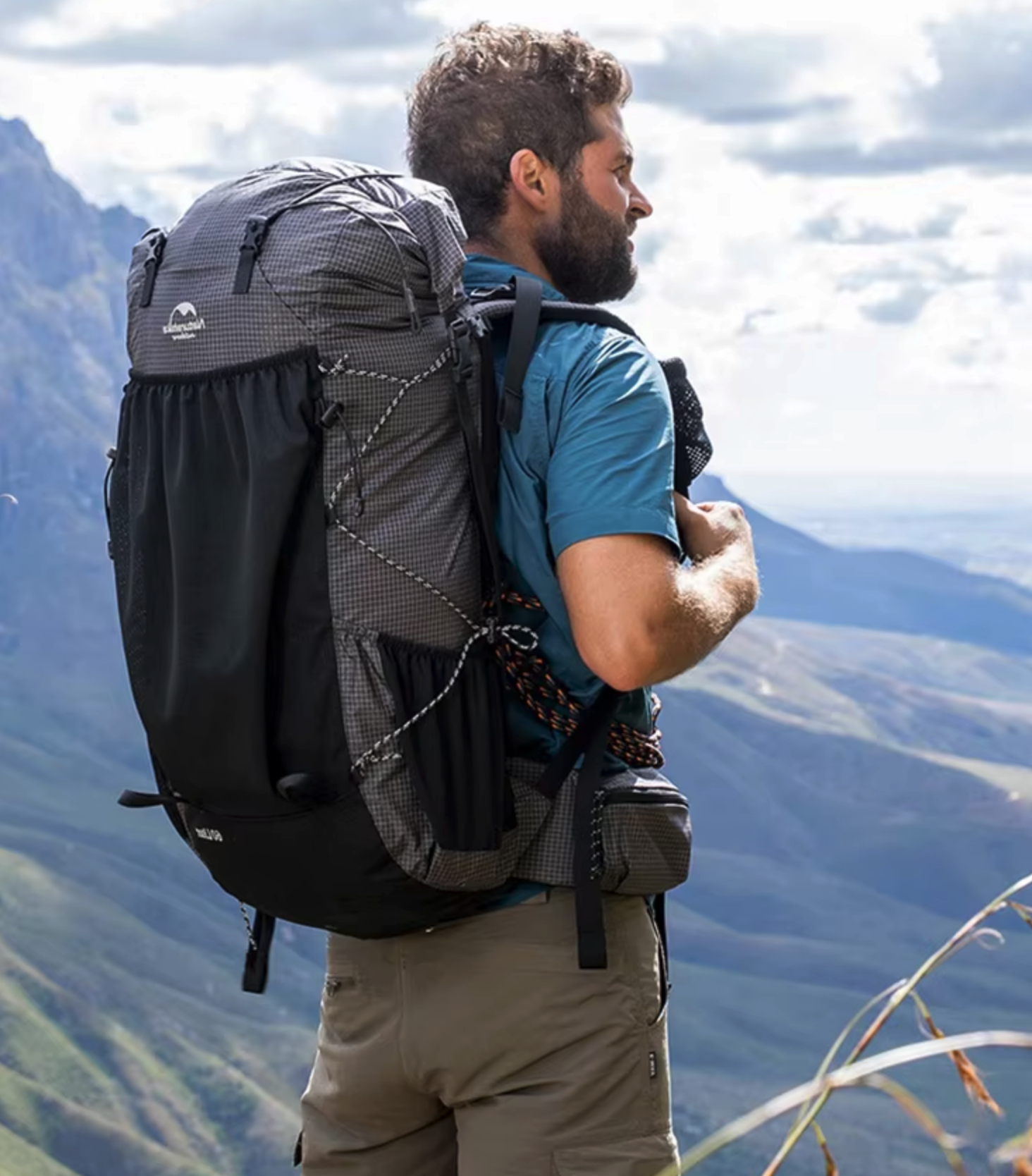
프롬프트: A video of a man hiking with a backpack. The bag must be the main subject. Walking slowly
2. 청소기 사용 비디오

프롬프트: Video of cleaning with a vacuum cleaner. slow movement. low angle
3. 음식 홍보 비디오
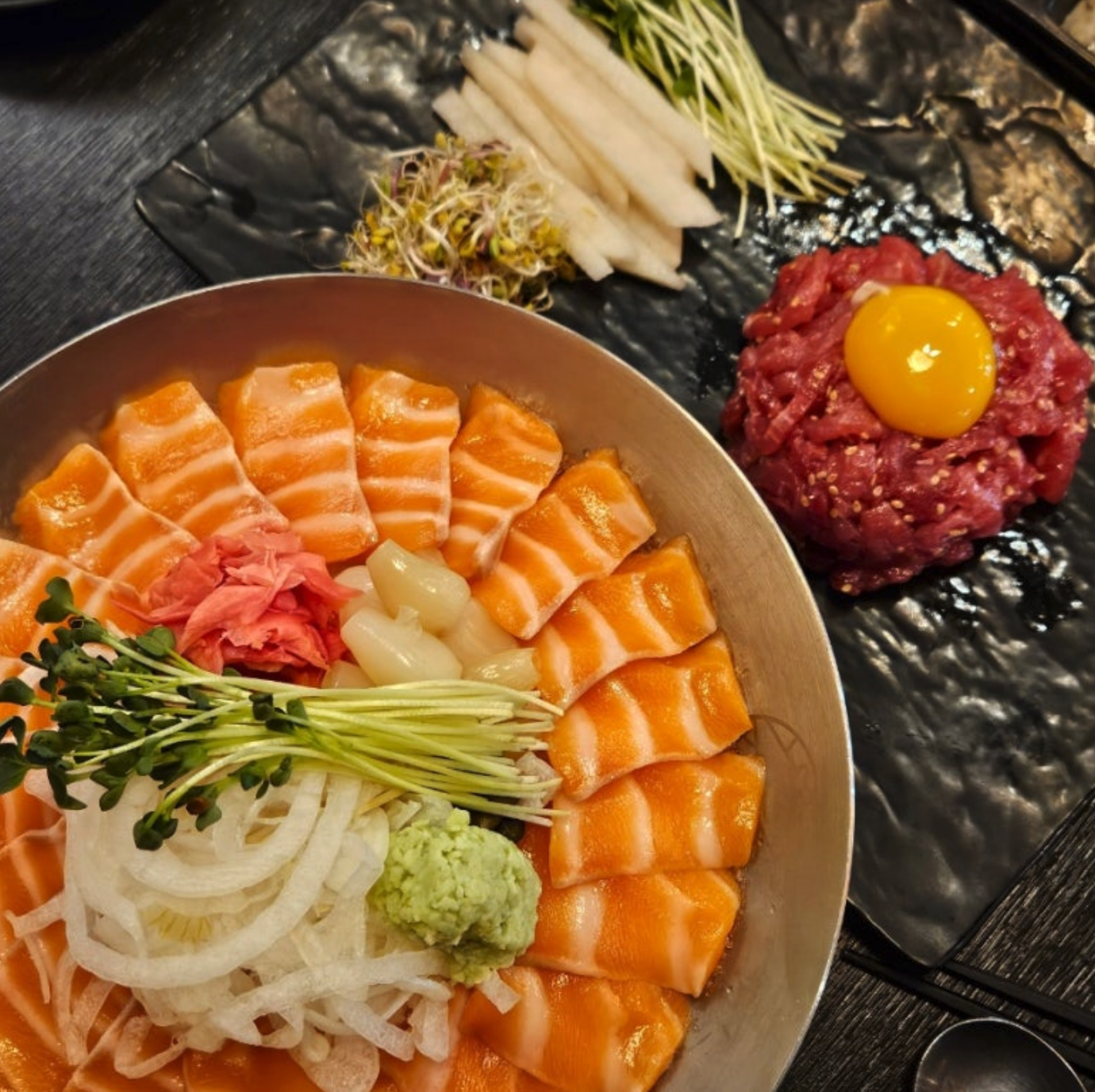
프롬프트: Remove the cooking effect and only add camera movement. highlight the food in Zoom format. promotional video for this food
4. 한국 전통 정자 비디오
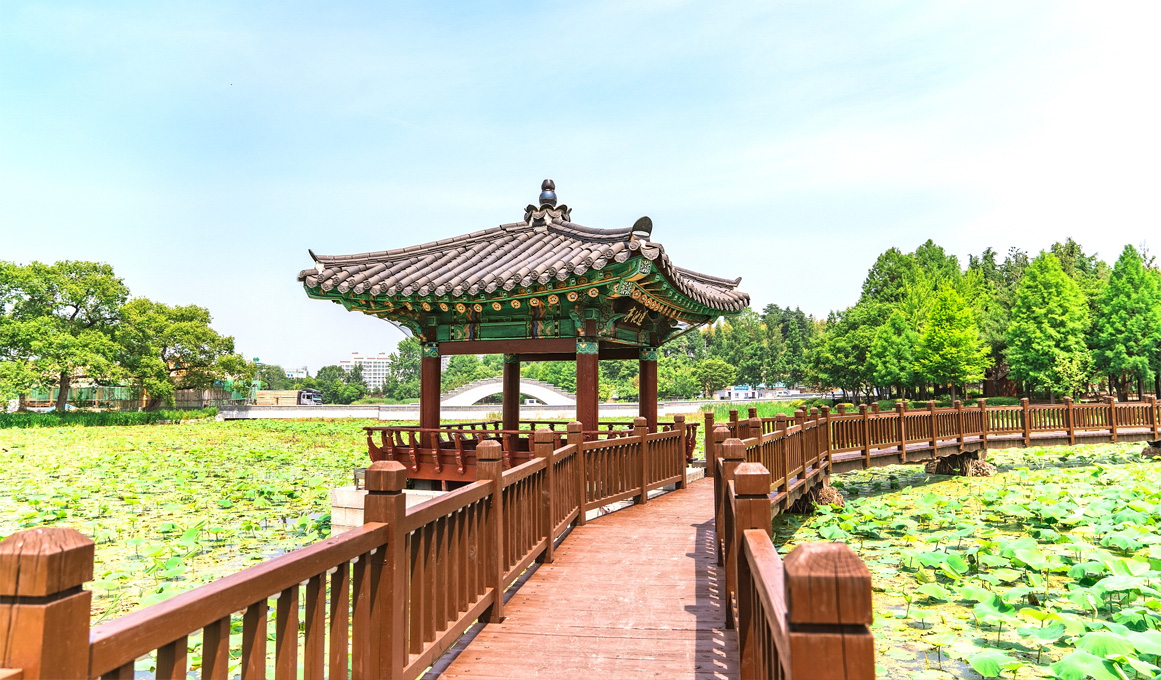
프롬프트: A traditional Korean pavilion by a lotus pond, with two small dogs (a white poodle and a brown shiba inu) joyfully running along the wooden walkway. The pond is filled with green lotus leaves, and the background is full of lush green trees. Bright sunny day, peaceful and vivid atmosphere.
Text-to-Video 버전:
추가 프롬프트: The two small dogs (white poodle and brown shiba inu) approach the pavilion, wagging their tails, playfully interacting. They stop at the end of the deck, looking around curiously. [Over-the-shoulder shot] Captures the view of the park and lotus pond from behind the dogs.
5. 호랑이 이미지-비디오 변환
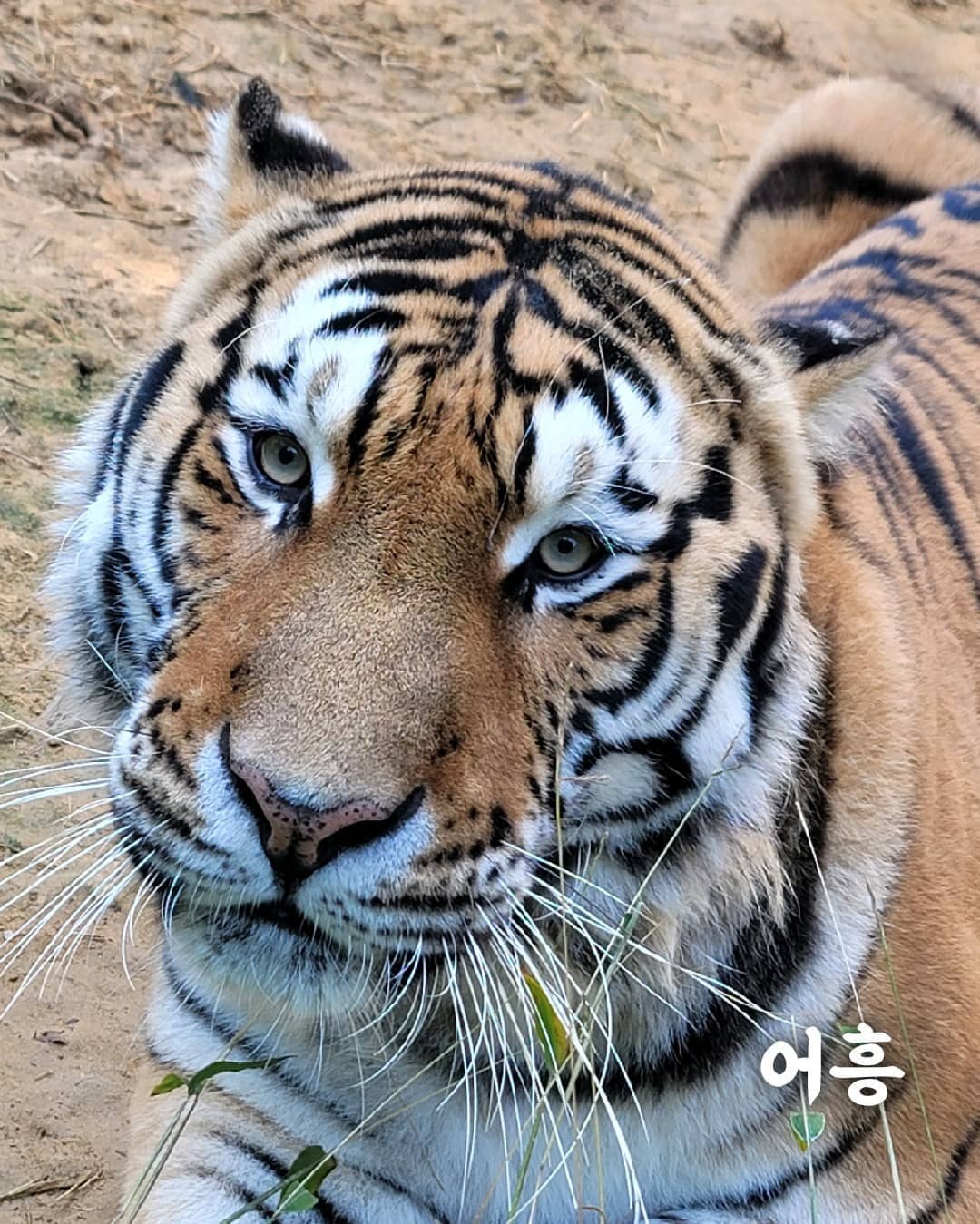
프롬프트: The tiger briefly pulls back its tongue, blinks, and tilts its head slightly. Then immediately sticks out its tongue for a second time, a bit longer than the first, while lowering its head slightly. [Low-angle close-up shot] Capture from below to show both majesty and cuteness.
⚠️ 제한사항 및 주의사항
기술적 제한
- 길이: 짧은 클립 (4–15초, 모델별 상이)
- 해상도: 모델별 지원 범위 다름 (요금 페이지 참고)
- 카메라 앵글: 카메라 앵글 조작 프롬프트가 항상 정확하게 작동하지 않을 수 있음
- 처리 시간: 해상도와 길이에 따라 1–5분 소요
최적화 팁
- 구체적인 프롬프트: 세부적이고 명확한 설명 제공
- 카메라 앵글: 필요시
[Low-angle],[Over-the-shoulder shot]등의 지시어 사용 - 적절한 해상도: 용도에 맞는 해상도 선택
🔗 관련 링크
📞 지원 및 문의
문의사항이 있으시면 다음 경로로 연락해 주세요:
- 이메일: [email protected]
- 디스코드: kvidAI 커뮤니티
언어: English | 한국어 (현재 페이지)