Video Generation AI API
한국어로 보기: Video 생성 AI API | View in English (current page)
kvidAI's Video Generation AI API creates high-quality videos from text, images, or reference media, specializing in K-pop and K-beauty content.
🎯 Service Overview
Supported Features
- Text-to-Video: Generate videos from text prompts (
txt2vid) - Image-to-Video: Animate an input image with a motion prompt (
img2vid) - Reference-to-Video: Generate consistent videos from reference images/videos/audio (
ref2vid) - Resolution: 480p / 720p / 1080p (model-dependent)
- Duration: typically 4–15 seconds (model-dependent)
Specialized Capabilities
- Camera angle manipulation prompts (may not be perfect)
- Various generation options and controls
- K-pop dance and K-beauty content optimization
📡 API Endpoints
Basic Information
Base URL:       https://api.kvid.ai
Authentication: api-key header
Content-Type:   application/json
The Video Generation API is asynchronous — first POST a generation request to get a job_id, then poll the status endpoint until the job completes, and finally fetch the result.
| Method | Path | Purpose |
|---|---|---|
POST | /ai/generation/text-to-video/generate-async | Submit text-to-video job |
POST | /ai/generation/image-to-video/generate-async | Submit image-to-video job |
POST | /ai/generation/reference-to-video/generate-async | Submit reference-to-video job |
GET | /ai/generation/status?jobId={job_id} | Check job status (shared endpoint) |
GET | /ai/generation/result?jobId={job_id} | Fetch completed result (shared endpoint) |
Authentication & credit identification. Every request must send the
api-keyheader. In addition, the AI-generation endpoints require exactly one ofproduct_id/product_code/A separate dev routing surface exists (
api.hometip.net+/ai/generation-clone/...); this page documents the production paths onapi.kvid.ai.
1. Create a text-to-video job
Python Example
import requests

url = "https://api.kvid.ai/ai/generation/text-to-video/generate-async"
api_key = "YOUR_API_KEY"

payload = {
    "product_id": "pdt_XXXXXXXXXXXX",   # or product_code / email — required
    "prompt": "A beautiful sunset over the ocean",
    "model": "veo3.1",                   # wan / seedance / veo3.1
    "function": "txt2vid",
    "resolution": "720p",                # 480p / 720p / 1080p (model-dependent)
    "duration": 4,
    "aspect_ratio": "16:9",
    "seed": 5834
}
headers = {
    "api-key": api_key,
    "Content-Type": "application/json",
}

response = requests.post(url, headers=headers, json=payload)
print(response.json())
Response:
{
  "success": true,
  "data": {
    "job_id": "job_1768540311147_4mcdv65c7",
    "status": "queued",
    "message": "Video generation job queued.",
    "estimated_time": "2-5min",
    "video_type": "text-to-video"
  }
}
2. Create an image-to-video job
import requests

url = "https://api.kvid.ai/ai/generation/image-to-video/generate-async"
api_key = "YOUR_API_KEY"

payload = {
    "product_id": "pdt_XXXXXXXXXXXX",   # or product_code / email — required
    "prompt": "windy, forest, autumn",
    "model": "wan",
    "function": "img2vid",
    "image_url": "https://your-host.example/scene.png",   # or image_file (base64)
    "resolution": "720p",
    "duration": 5,
    "aspect_ratio": "auto",              # auto follows the input image ratio
    "seed": 5834
}
headers = {
    "api-key": api_key,
    "Content-Type": "application/json",
}

response = requests.post(url, headers=headers, json=payload)
print(response.json())
3. Create a reference-to-video job
Generate a consistent video from one or more reference images, videos, and/or audio clips. Useful for keeping a character or style stable across the output.
import requests

url = "https://api.kvid.ai/ai/generation/reference-to-video/generate-async"
api_key = "YOUR_API_KEY"

payload = {
    "product_id": "pdt_XXXXXXXXXXXX",   # or product_code / email — required
    "prompt": "the character from the reference image walks through a neon city at night",
    "model": "bytedance/seedance-2.0/fast/reference-to-video",
    "function": "ref2vid",
    "image_urls": ["https://your-host.example/ref-character.png"],
    "video_urls": [],
    "audio_urls": [],
    "resolution": "720p",
    "duration": 5,             # 4–15 (integer) or "auto"
    "aspect_ratio": "auto",
    "generate_audio": True,
    "seed": 5834
}
headers = {
    "api-key": api_key,
    "Content-Type": "application/json",
}

response = requests.post(url, headers=headers, json=payload)
print(response.json())
Reference constraints: up to 9 images, up to 3 videos (≤ 15 s combined), up to 3 audio clips (≤ 15 s combined). Total references (image + video + audio) ≤ 12. If
audio_urlsis provided, at least one image or video reference is also required.
4. Check job status
import requests

api_key = "YOUR_API_KEY"
job_id = "job_1768540311147_4mcdv65c7"

url = f"https://api.kvid.ai/ai/generation/status?jobId={job_id}"
headers = {"api-key": api_key}

response = requests.get(url, headers=headers)
print(response.json())
Response (in-progress):
{
  "success": true,
  "data": {
    "job_id": "job_1768540311147_4mcdv65c7",
    "status": "processing",
    "prompt": "A beautiful sunset over the ocean",
    "result_url": null,
    "error_message": null
  }
}
status is one of: queued, processing, completed, failed, canceled.
Recommended polling interval for video jobs: 10–15 seconds (generation can take tens of seconds to a few minutes).
5. Fetch the completed result
import requests

api_key = "YOUR_API_KEY"
job_id = "job_1768540311147_4mcdv65c7"

url = f"https://api.kvid.ai/ai/generation/result?jobId={job_id}"
headers = {"api-key": api_key}

response = requests.get(url, headers=headers)
print(response.json())
Response:
{
  "success": true,
  "data": {
    "job_id": "job_1768540311147_4mcdv65c7",
    "status": "completed",
    "result_url": "https://cdn.kvid.ai/videos/job_1768540311147_4mcdv65c7.mp4",
    "created_at": "2026-05-27T09:00:00.000Z",
    "prompt": "A beautiful sunset over the ocean",
    "width": 1280,
    "height": 720,
    "size": 5242880,
    "file_size": 5242880,
    "type": "text-to-video",
    "used_credit": 54
  }
}
📋 Schema
Common request fields
| Field | Type | Required | Description |
|---|---|---|---|
product_id / product_code / email | string | ✅ (one of) | Identifies the credit pool to charge |
prompt | string | ✅ | Text prompt guiding generation |
model | string | – | Model identifier (wan, seedance, veo3.1, …). Default: wan |
function | string | – | txt2vid / img2vid / ref2vid (matches the endpoint) |
negative_prompt | string | – | Elements to exclude |
resolution | string | – | 480p / 720p / 1080p. Default: 480p (model-dependent upper bound) |
duration | integer | string | – | Clip length in seconds; alternative to num_frames. ref2vid accepts 4–15 or "auto" |
aspect_ratio | string | – | 16:9 / 9:16 / 1:1 / auto |
seed | integer | – | Random seed for reproducibility |
Image-to-Video specific
| Field | Type | Required | Description |
|---|---|---|---|
image_url / image_file | string | ✅ | Start frame — HTTPS URL (image_url) or base64 (image_file) |
Reference-to-Video specific
| Field | Type | Default | Description |
|---|---|---|---|
image_urls | string[] | [] | Reference images (max 9) |
video_urls | string[] | [] | Reference videos (max 3, ≤ 15 s combined) |
audio_urls | string[] | [] | Reference audio (max 3, ≤ 15 s combined) |
generate_audio | boolean | true | Generate audio alongside the video |
V1 (self-hosted) model parameters
These apply to the self-hosted V1 model family (e.g. wan); support varies per model.
| Field | Type | Default | Description |
|---|---|---|---|
num_frames | integer | model-dependent | Frame count; alternative to duration |
frames_per_second | integer | model-dependent | Output FPS |
num_inference_steps | integer | model-dependent | Inference steps; higher = better quality, slower |
guidance_scale | number | model-dependent | Prompt adherence strength |
shift | number | model-dependent | Scheduler shift |
enable_safety_checker | boolean | true | NSFW filter |
enable_prompt_expansion | boolean | model-dependent | Auto-expand the prompt |
acceleration | string | – | regular / high priority processing |
Each model allows a different set of parameters (validated against the DB
model-parametertable); unsupported fields are sanitized and ignored by the gateway backend. Model availability per resolution and exact per-model params — see Pricing.
⚠️ Errors
| Code | HTTP | Meaning |
|---|---|---|
MISSING_PARAMETERS / INVALID_PARAMETERS | 400 | Missing prompt/image or invalid parameter |
INSUFFICIENT_CREDIT | 402 | Not enough credits |
CONCURRENT_LIMIT | 429 | Too many concurrent jobs |
| — | 403 | api-key invalid |
JOB_NOT_FOUND | 404 | jobId not found (or not owned by caller) — result endpoint |
JOB_NOT_COMPLETED | 400 | Status is still queued/processing — result endpoint |
JOB_FAILED | 400 | Status is failed; see error_message from the status endpoint |
🎬 Usage Examples
1. Hiker with Backpack Video

Prompt: A video of a man hiking with a backpack. The bag must be the main subject. Walking slowly
2. Vacuum Cleaner Usage Video

Prompt: Video of cleaning with a vacuum cleaner. slow movement. low angle
3. Food Promotional Video
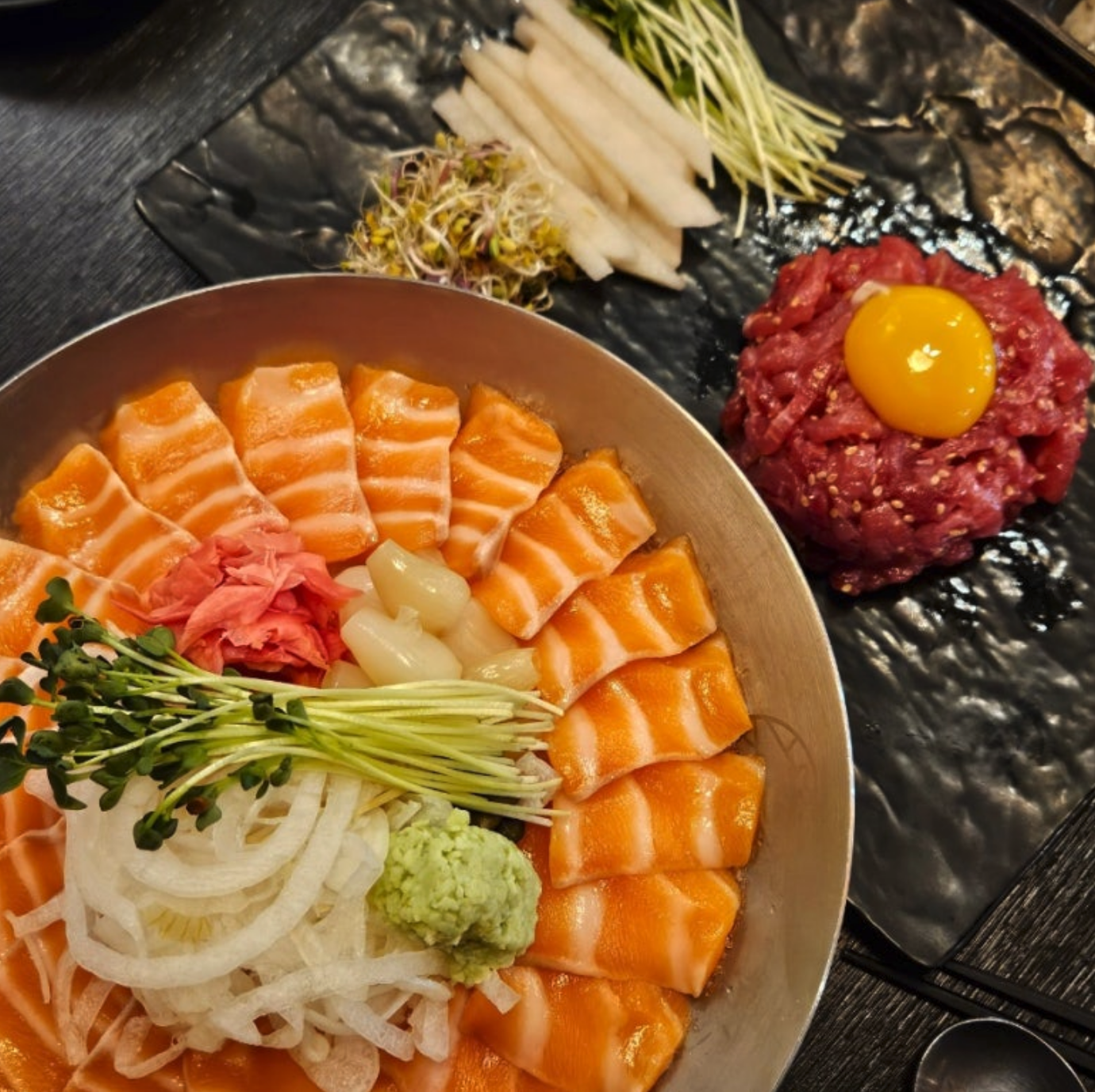
Prompt: Remove the cooking effect and only add camera movement. highlight the food in Zoom format. promotional video for this food
4. Korean Traditional Pavilion Video

Prompt: A traditional Korean pavilion by a lotus pond, with two small dogs (a white poodle and a brown shiba inu) joyfully running along the wooden walkway.
5. Tiger Image-to-Video Conversion
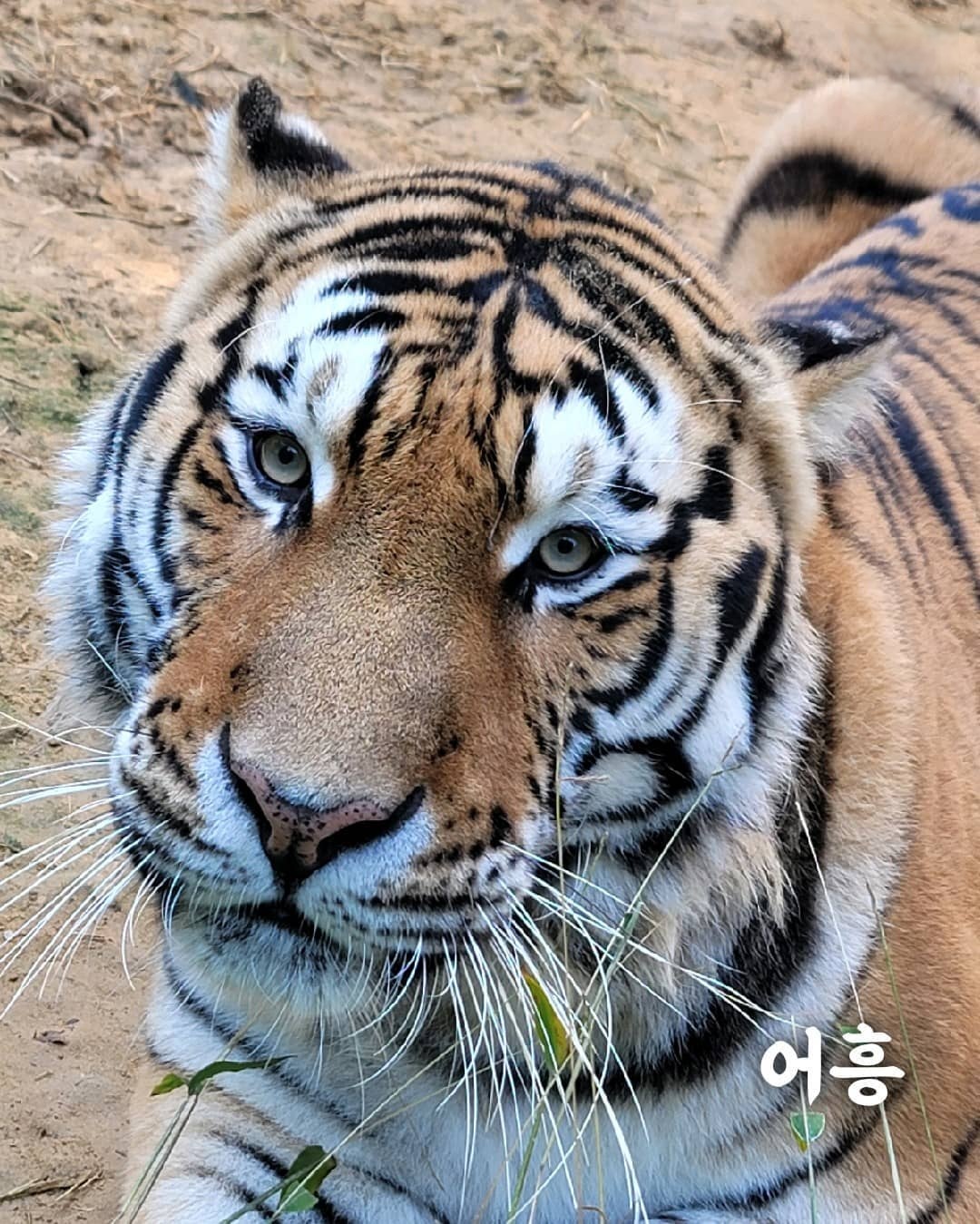
Prompt: The tiger briefly pulls back its tongue, blinks, and tilts its head slightly. [Low-angle close-up shot]
⚠️ Limitations & Notes
Technical Limitations
- Duration: short clips (4–15 s typical, model-dependent)
- Resolution: depends on selected model (see Pricing)
- Camera Angles: camera angle manipulation prompts may not always work accurately
Optimization Tips
- Specific Prompts: provide detailed, clear descriptions
- Camera Angles: use directives like
[Low-angle],[Over-the-shoulder shot]when needed - Appropriate Resolution: match resolution to your delivery channel
🔗 Related Links
📞 Support & Contact
For questions or assistance:
- Email: [email protected]
- Discord: kvidAI Community
Language: English (current page) | 한국어